✨ New Arrivals Just Dropped!Explore
1 / 3
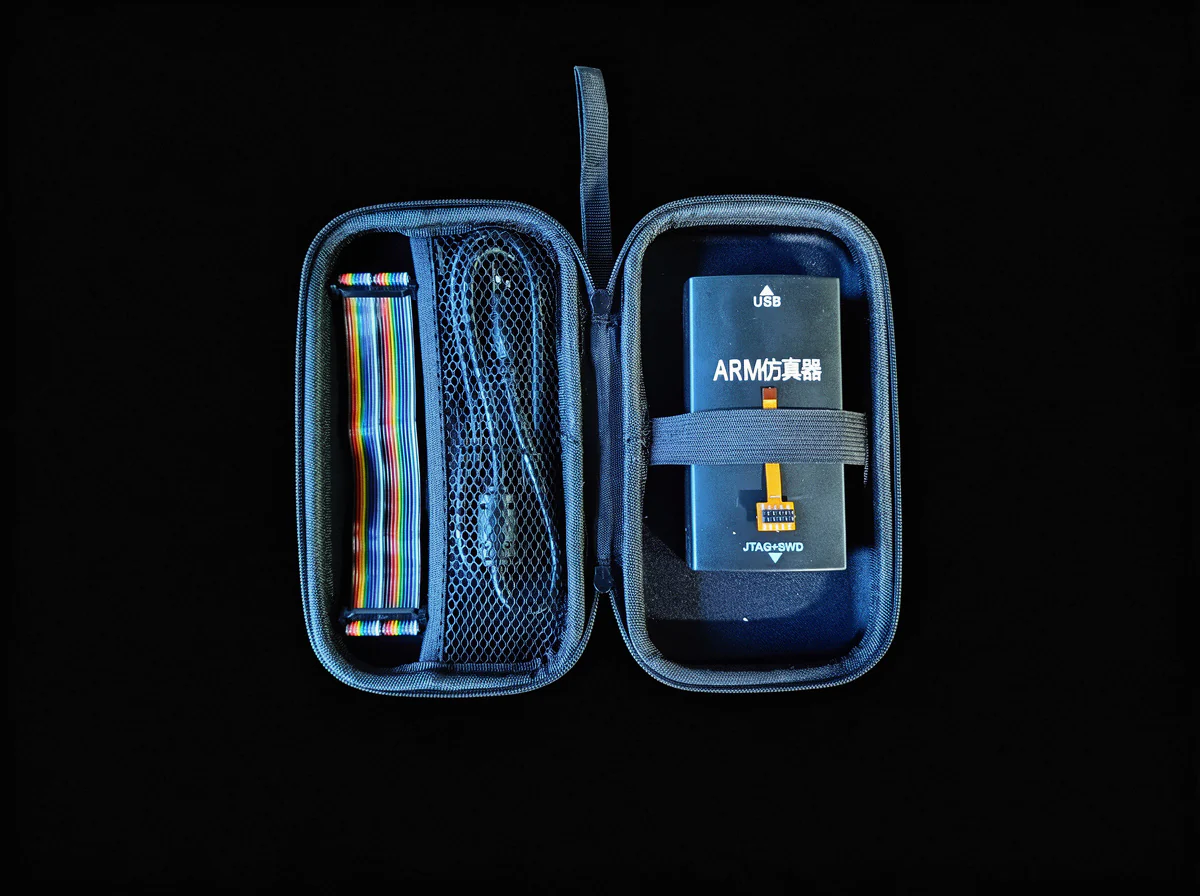
Omi Firmware Developer Kit
Everything you need to flash, debug, and develop custom firmware for the Omi AI wearable.
What's Inside
- SEGGER J-Link debugger: Industry-standard SWD/JTAG programmer for the nRF5340
- J-Link to USB cable: Connect the debugger to your development machine
- 2-pin jumper wires: For connecting to Omi's SWD debug pads
- Omi Flash PCB: Custom breakout board that interfaces directly with the Omi hardware, providing easy access to the nRF5340's debug interface without disassembly
Built For
- Embedded engineers building custom firmware for the nRF5340 dual-core SoC
- Developers extending Omi's BLE 5.3 and Wi-Fi 6 (nRF7002) capabilities
- Teams integrating Omi into custom workflows, enterprise deployments, or research applications
- Anyone who wants to go beyond the stock firmware and make Omi do exactly what they need
Compatible With
- Omi wearable (nRF5340-CLAA + nRF7002)
- nRF Connect SDK (Zephyr RTOS)
- SEGGER Embedded Studio, VS Code + nRF Extension, and other standard ARM toolchains
- macOS, Windows, and Linux
Getting Started
- Connect the J-Link to your computer via USB
- Attach the Flash PCB to your Omi device
- Wire the 2-pin SWD connection
- Flash using nRF Connect SDK, J-Link Commander, or your preferred IDE
- Full documentation and example firmware available at github.com/BasedHardware/omi
Why This Kit?
Omi is fully open-source: hardware, firmware, and software. This kit gives you physical access to the debug interface so you can modify every layer of the stack. No locked bootloaders, no proprietary toolchains, no permission needed.
$595.20
Original: $1,984.00
-70%Omi Firmware Developer Kit—
$1,984.00
$595.20Product Information
Product Information
Shipping & Returns
Shipping & Returns
Description
Everything you need to flash, debug, and develop custom firmware for the Omi AI wearable.
What's Inside
- SEGGER J-Link debugger: Industry-standard SWD/JTAG programmer for the nRF5340
- J-Link to USB cable: Connect the debugger to your development machine
- 2-pin jumper wires: For connecting to Omi's SWD debug pads
- Omi Flash PCB: Custom breakout board that interfaces directly with the Omi hardware, providing easy access to the nRF5340's debug interface without disassembly
Built For
- Embedded engineers building custom firmware for the nRF5340 dual-core SoC
- Developers extending Omi's BLE 5.3 and Wi-Fi 6 (nRF7002) capabilities
- Teams integrating Omi into custom workflows, enterprise deployments, or research applications
- Anyone who wants to go beyond the stock firmware and make Omi do exactly what they need
Compatible With
- Omi wearable (nRF5340-CLAA + nRF7002)
- nRF Connect SDK (Zephyr RTOS)
- SEGGER Embedded Studio, VS Code + nRF Extension, and other standard ARM toolchains
- macOS, Windows, and Linux
Getting Started
- Connect the J-Link to your computer via USB
- Attach the Flash PCB to your Omi device
- Wire the 2-pin SWD connection
- Flash using nRF Connect SDK, J-Link Commander, or your preferred IDE
- Full documentation and example firmware available at github.com/BasedHardware/omi
Why This Kit?
Omi is fully open-source: hardware, firmware, and software. This kit gives you physical access to the debug interface so you can modify every layer of the stack. No locked bootloaders, no proprietary toolchains, no permission needed.